


How to Send a Parcel With The Parcel2Go App
30 April 2019 | Editor's Pick | Most Popular | News | Packaging Guides | Parcel Deliveries | Parcel2Go News | Apps | Tips and Guides

Author: Parcel2Go.com
With the Parcel2Go App, sending a parcel has never been easier. You are able to send and track parcels on the go, whether you are on your way to work, grabbing lunch or just out and about.
Now with over 6,000 downloads, we thought we'd put together this handy step-by-step guide detailing how to send a parcel with the app.
Step 1- Download the App
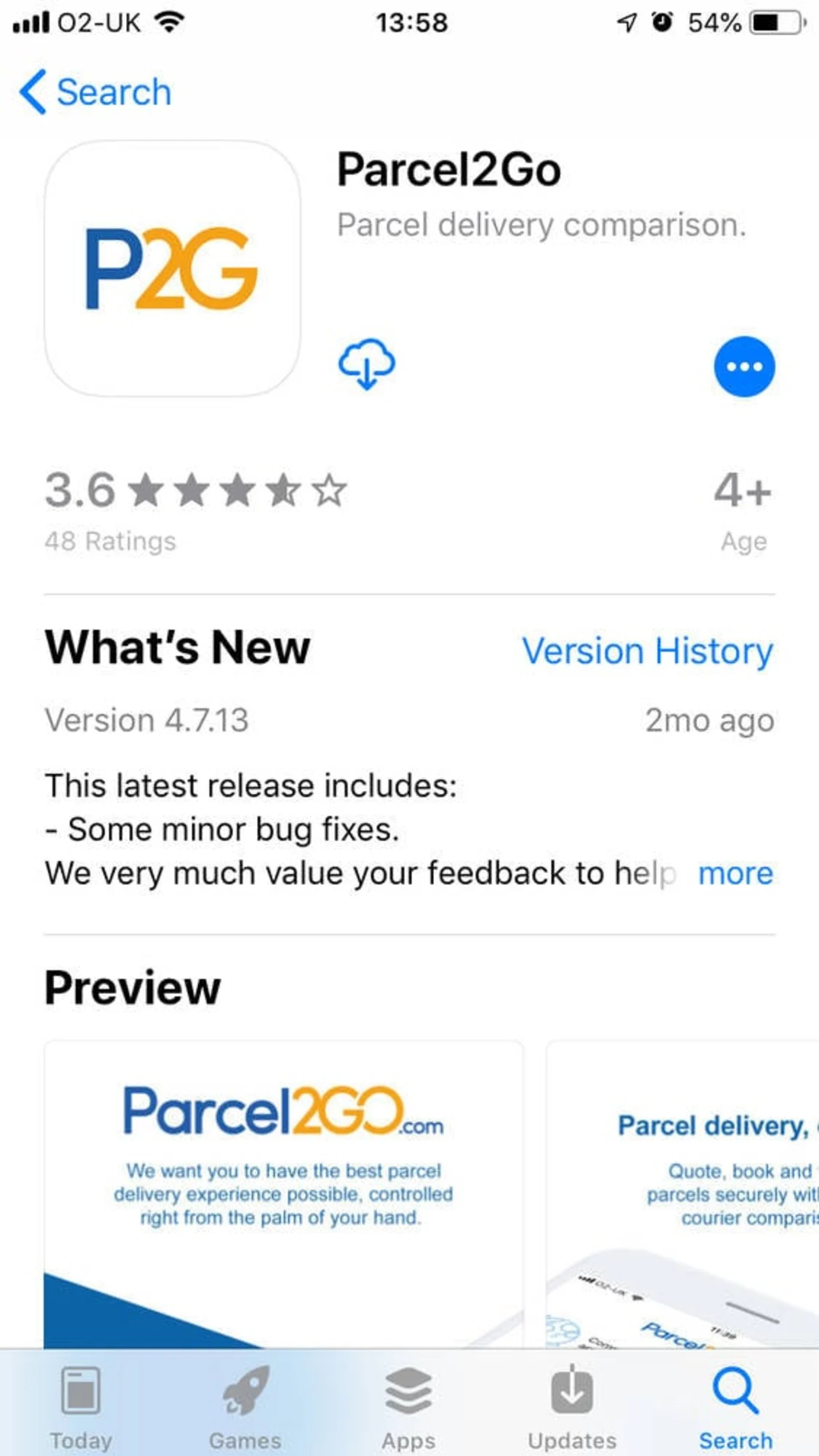
If you haven’t already, head over to the Apple App Store to download the Parcel2Go App. Currently our app is only available on iOS, but we have an android solution in the pipeline.
When you’ve downloaded the app, head over to Step 2.
Step 2- Get a Quote
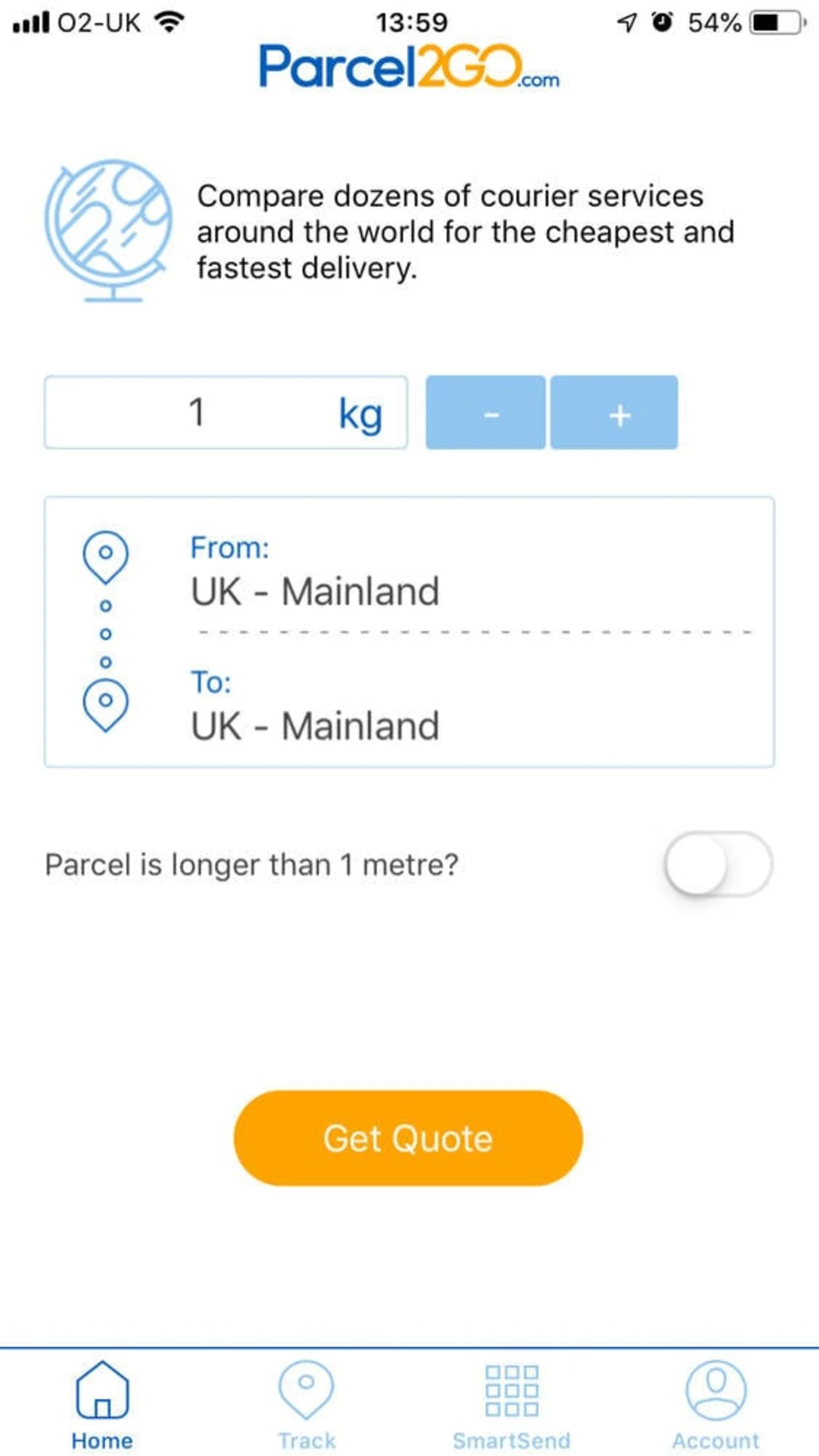
To compare dozens of courier services around the world for the cheapest and fastest delivery, our quote tool will help you find the cheapest quote.
To ensure we can get you the best quote for your parcel requirements, you’ll need to know roughly the weight of your parcel.
If your parcel if more than 1 metre long, the app requires you to provide dimensions and if you are sending within the UK with us, you only need to input your parcel weight.
If you are sending internationally, you will need to input the weight and parcel dimensions.
Once you have inputted your parcel details, you will see a range of courier services.
Step 3- Booking Courier Services
From the measurements you have entered for your parcel, the app will give you a range of courier services that you can choose from. There will be three delivery options with various expert couriers available:
*Example based on the parcel weight at 1 kg:
Next Day Service
(Couriers to choose: InPost, UPS, DPD, DHL, Yodel, DX24, Parcelforce, TNT and Palletforce)
Two Day Service
(Couriers to choose: Hermes, InPost, Collect+, DX48, Parcelforce, Yodel, TNT, UPS and Palletforce)
Three Days + Service
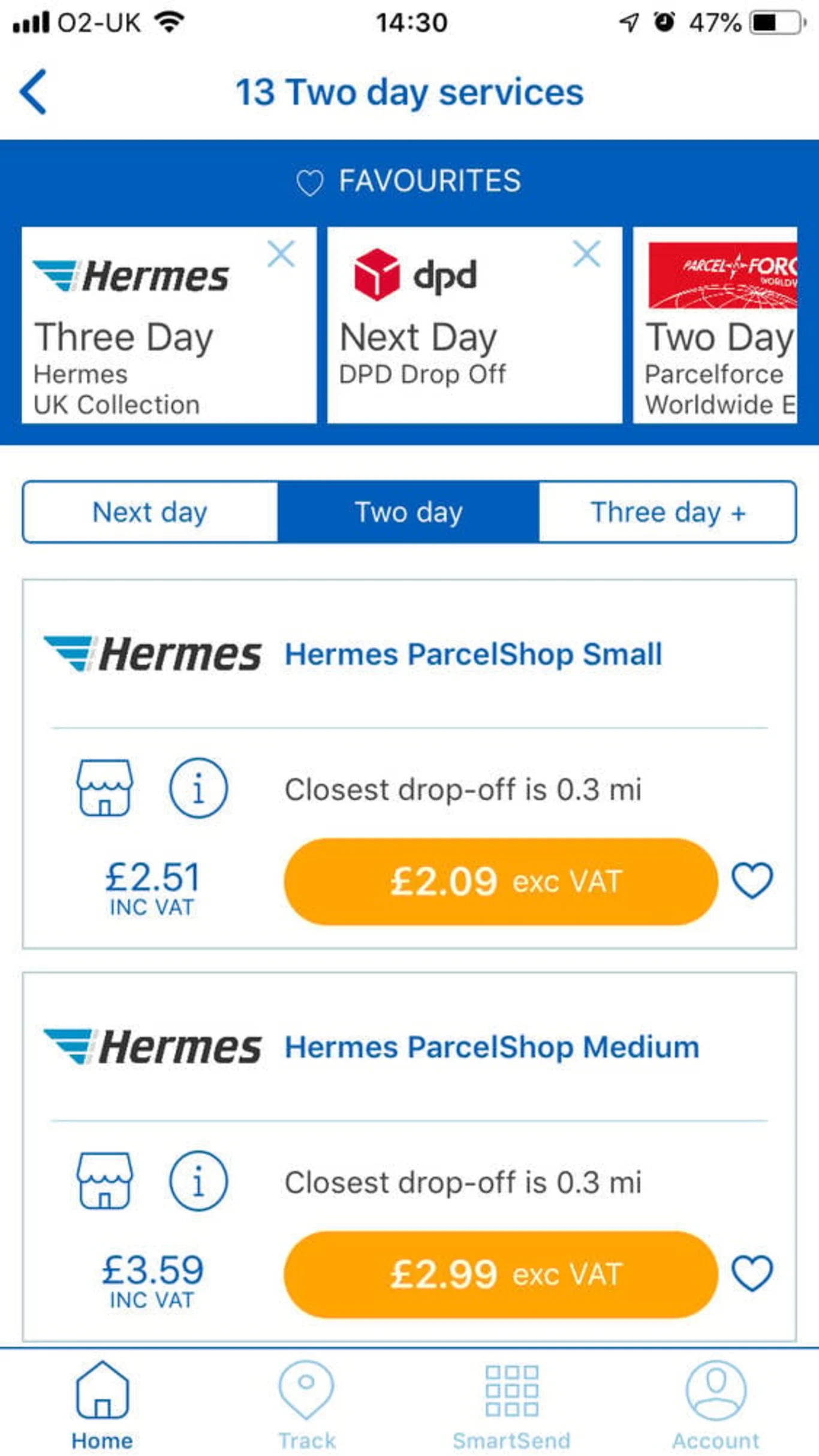
(Couriers to choose: Hermes, Collect+ and Yodel)
Once you have found a courier that suits your requirements, you need to enter the weight, parcel value, parcel contents, and parcel dimensions.
Based on your specific location, the app will show you where the nearest drop shop location is so that you can drop off your parcel.
After you have completed all the required fields, just read and accept our prohibited and restricted items agreement.
View your total (excluding VAT) and then click Next
You will then have the option to add whether or not you would like Parcel protection to your order. The protection offers up to £20 for 1 kg parcel.
Make sure all your sender details are correct and click Next
Then enter your Recipient address details
Finally, you have the option to pay with PayPal, PrePay or Card
There is an option to add a Delivery guarantee - (Refund of carriage if not delivered by the stated date, invalid if collection/delivery was attempted/ impaired)
Step 4- How to Package a Parcel
Now that your courier service is booked, you need to ensure your parcel is ready to be sent.
Here are a few things to remember when packaging your parcel:
Choose a box relative to the size of its contents. Ensure your parcel size is slightly bigger than its contents, but not so big that the item is loose in the box.
Choose packaging that will protect your item - this will ensure fragile or valuable items are secure. Double-corrugated cardboard boxes are recommended and include plenty of internal packaging materials.
Label correctly- When you've booked your parcel delivery, we’ll send your label to the email address you have provided.
All you need to do is print out the label and attach it to the outside of your parcel- with nothing obstructing the barcode (this will be scanned by the courier)
If you are still unsure, watch our video on How to Pack a Parcel.
Step 5- Tracking a Parcel
When you have paid and sent your parcel, you will be given a tracking code for your parcel. To track your parcel, you will need to log in or create a Parcel2Go account.
To log in, you will then be directed to a page to sign in or you can sign in with Google, Facebook or Amazon.
Once you have logged in, you will be able to track your orders with your tracking code and see your parcel orders or previous orders you have made.
Tracking will keep you up to date on where your parcel is, on the go.
Step 6- Parcel2Go Help Centre
The help centre will enable you to find all the right answers to all of your questions.
There is an FAQ section, split into Popular, Topics and Live Help.
If you are struggling to find an answer in the FAQ’s, Parcel2Go Live Chat is available on the App to help you resolve any query.
Step 7- My Account
In the Account section in the app, you will be able to view:
My Orders- which shows your current or previous orders.
My Account- where you can sign in and it will show your details which you can edit.
Leave Feedback- which will redirect you to your emails to share feedback about your parcel delivery.
Benefits of the App
Save time and money with our new mobile app. Find your perfect delivery for the best prices with just the swipe of your finger.
Easy and fast search functionality
Simple, safe and secure bookings
Save favourite services for extra convenience
Works with existing Parcel2Go accounts
Simple review and secure payment steps
Find drop drops and lockers based on your location
View all your account orders in one place
Save senders and recipient, information for faster bookings
New and improved address search functionality
Quote, send and track your parcels on the go
Future Features On the App
Smart Send is the new shipping solution to manage your e-commerce deliveries. It puts you in control of all your shipping across multiple platforms. Make sure you watch out for the Smart Send feature on the app as this will create new opportunities for you or your business.
Now you should be fully equipped to start booking all of your parcel deliveries on the Parcel2Go App. Not only is it an easier way to send on the go - managing the progress of your parcel is also fully integrated and streamlined within the app, saving you time and effort. Booking your parcel delivery on the app will ensure you the best parcel prices for both UK and international deliveries -Sending a parcel using Parcel2Go really is as easy as 1, 2, 3.